
Training Resources
ProLINK - Complete Software Review
Next Offering: Tuesday, September 29, 2026 - Friday, October 2, 2026
Four Half Day Sessions | Online or In-Person (Upon Request)
$325 per session per person
Instructors: Chris Urban / George Younis
Four Half-Day Course Overview
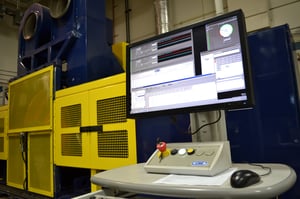
ProLINK training will be conducted online or in person in four half day sessions. All main software components will be discussed with emphasis on day-to-day test operation. Attend all or a partial selection of sessions that meet your testing needs.
Training Topics
Session 1 – Configuration Manager / DynoView
Review the basics of starting the machine from a software point of view. This includes software installation, machine start-up, test header creation, selecting the main control program, thermocouple set-up, digital calibration, cycle preparation / cycle start, and initial test monitoring. Examples of adding and editing real time test information in DynoView will also be given.
Session 2 – ScriptEdit
Review the basics of programming for Link Dynamometers. Emphasis will be placed on VSI2 (Visual Scripting Interface 2), but classic code and VSI1 will also be discussed. The step-by-step process of creating a new control program from the start will be shown, including machine file selection, overview of setpoints, basic programming functions, and final program verification.
Session 3 – RevDataPlus
All major aspects Link’s main data review tool will be covered including summary data, in-stop & global slow data, noise, and select machine specific features. Archiving and saving test data will be discussed, as well as renaming and renumbering tests and sections.
Session 4 – ReportAssist
The process of calculating Link reports will be shown followed by basic template creation using Link ReportAssist functions. An overview of the installation and logic behind the function will be discussed. Completed report samples are viewed followed by an in-depth look at specific functions. These types include summary, raw (in-event), wear, and noise data. A final report is calculated based upon a sample data set.
Who Should Attend?
Operators and engineers who want to get a complete overview of ProLINK for test operation. Some ProLINK software experience in a laboratory environment is beneficial before attending.
Upcoming Class Dates
Tuesday, September 29, 2026 - Friday, October 2, 2026
Tuesday, December 15, 2026 - Friday, December 18, 2026
Session Times
Class is offered three times per day to accommodate multiple time zones. Session selection will be confirmed upon registration.
Session A - APAC (Asia Pacific)
9:00am China Standard Time
10:00am Japan/Korea Standard Time
12:00pm Australian Eastern Daylight Time
Session B - EMEIA (Europe, Middle East, India, & Africa)
9:00am Greenwich Mean Time
10:00am Central European Time
1:30pm Indian Standard Time
Session C - Americas
9:00am Pacific Standard Time
12:00pm Eastern Standard Time
2:00pm Brasilia Time